








Free
$0 / month
10 images · ZoomHub badge on embeds
- Personal use
- Links, embeds and comparisons
- Galleries and PDFs
- Files up to 200 MB
- Collections of up to 10 images
High-resolution image hosting · zoomable viewersHigh-resolution image hosting
Upload huge images, PDFs or a whole collection. I turn them into zoomable viewers for any website, with a permanent link. No AI, no resampling.Upload huge images and PDFs. Get a zoomable viewer for any website. No AI, no resampling.
Click an image or pinch to explore · Scroll to keep reading
Photos: NASA, public domain. ZoomHub is not affiliated with NASA.
I’m putting online…
Bayeux Tapestry, scene 1
5,895 × 3,790 px · 22 MP
Every object and painting gets a permanent link. Keep acquisitions and embargoed scans behind a password until they’re ready.
One zoomable composite, from overview to object.
Map every image to its record.
Keep unpublished acquisitions private.
Earthrise, Apollo 8, 1968
5,584 × 5,584 px · 31 MP
Show prints and panoramas at the resolution you made them. Preview new work privately with a client first.
Exactly the pixels you made.
On every paid plan.
Password-protect work before release.
Earth at night, 2012
54,000 × 27,000 px · 1,458 MP
Cartography, site plans and survey sheets without cutting them into pieces.
Readers always know where they are on a large sheet.
Send the full-size TIFF. Free takes up to 200 MB.
PNG and TIFF sources keep every pixel, transparency too.
Bayeux Tapestry, scene 1
5,895 × 3,790 px · 22 MP
Drawing sets, reports and scanned books, with every page laid out together or in one strip.
Every page of a PDF is processed at the same time.
One zoomable document, every page sharp.
Behind a password until release.
Andromeda Galaxy, Hubble mosaic, 2015
40,000 × 12,788 px · 511 MP
Satellite images, court documents and big photos, embedded in any CMS. Keep a story’s images private until it publishes.
Set it up in the embed editor. No code.
Two images, zoomed in sync.
Password-protect images under embargo.
Never downsize
A website usually shrinks a big image to a couple of thousand pixels. That looks fine until someone zooms in. Here’s the Turgot map of Paris twice: downsized to 2,000 pixels wide, and the 35,690-pixel original. Zoom into any street, then drag the divider.


35,690 px → 2,000 px wide: 99.7 % of the pixels thrown away. With them go the details maps and manuscripts live in: street names, dimensions, marginalia.
All 1.0 billion pixels kept, and about 20 tiles streamed to fill a full-HD screen. It stays sharp at any zoom, on any device.
How deep zoom works
Your image is cut into a pyramid of small tiles. The viewer only streams the tiles on your screen, so a 2-gigapixel scan opens instantly on any device.
The idea behind deep zoom · TED2007
“The only thing that ought to limit the performance of a system like this one is the number of pixels on your screen at any given moment.”
12
tiles fill a 1,920 × 1,080 screen, of 10,512 in this image
Orange: what the screen needs, layer by layer. At 1×: all 12 tiles at 1/32 size.
The image: a made-up scan, 50,000 × 40,000 px (2 gigapixels). Zoom in, and a finer layer takes over, but only the part on screen.
I was on Microsoft’s Seadragon team in 2009–10. ZoomHub carries on where zoom.it left off: images put online there since 2009 still load, and 440+ websites embed its viewers.
440+
websites embed ZoomHub viewers.
No AI
Nothing upscaled, sharpened or invented. Every square above is one pixel of the Turgot map of Paris, 1739, enlarged 5×, exactly as it was uploaded.
Viewers & embeds


A justified gallery viewer of the whole collection, embedded on your own site.


A series laid out side by side in one film strip, without the ZoomHub badge.


Documents · every page in one view


Maps · optional minimap · up to 5 GB on paid plans


Hubble: NASA, ESA/Hubble and the Hubble Heritage Team · Webb: NASA, ESA, CSA, STScI; J. DePasquale, A. Koekemoer, A. Pagan (STScI) · CC BY 4.0




Developers
The REST API converts images from a URL or an upload and returns a share link and the embed HTML.
See the APIPrivacy
Unpublished acquisitions, scans under embargo, work shared with a client before release. Keep any image private until it’s ready.
Set a password on any image. Visitors enter it once and stay unlocked for hours: on the image’s page, in its viewers, and in collections protected with the same password.
Not just the page. The image tiles won’t load without the password.
After 5 wrong passwords in a minute, the next guesses aren’t even checked.
When the embargo lifts, make the image public. It keeps its link and its embed code, so nothing on your site needs updating.
Pricing
$0 / month
10 images · ZoomHub badge on embeds
$29 / month
50 images · no badge
$79 / month
200 images · no badge
$199 / month
1,000 images · no badge
A larger collection, or needs the plans don’t cover. Tell me what you’re putting online and I’ll put together a price.
Collections of 11,000 images and more, like this Flickr showcase.
FAQ
Upload the file or paste a link, and confirm the email I send you. You get a permanent link and one line of HTML to paste into your page: no coding, no plugin, no build step.
Up to 5 GB per file on paid plans (200 MB on Free): JPEG, PNG, TIFF, WebP, GIF or PDF.
No AI, no upscaling, and your full-size image isn’t resampled. PNG, TIFF and other lossless files stay pixel-exact, transparency kept; photos get high-quality JPEG tiles.
Yes. A PDF becomes one zoomable document, with every page laid out together or in a single strip. All its pages are processed at once. Each page of a PDF counts as an image.
Yes, on a paid plan. Set a password on any image. Visitors enter it once for its page, its viewers and collections protected with the same password, and the tiles are protected too.
Yes. The REST API converts images from a URL or an upload, reports progress, and returns the share URL and embed HTML. With an API key, which comes with the Business plan, it starts right away and can also set titles, descriptions and reference IDs.
Free for personal use, up to 10 images. Commercial use starts at $29 a month and removes the “Powered by ZoomHub” badge.
Yes. ZoomHub carries on where zoom.it left off: in the last 90 days, more than 1,500 images first put online between 2009 and 2014 were viewed in embeds on over 400 websites.
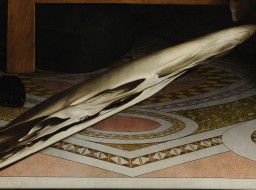
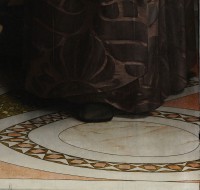
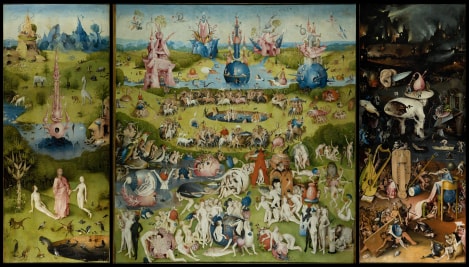
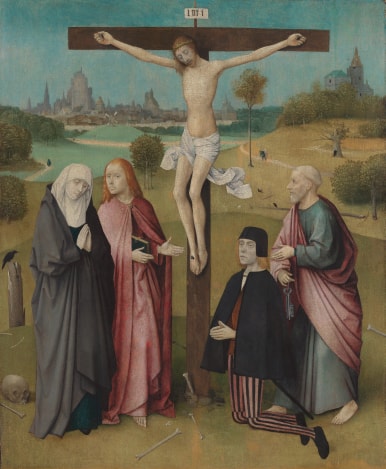
Museums, archives & libraries
I’m Daniel, the engineer behind ZoomHub. I’ve been thinking about zoomable interfaces since 2007, wrote the series “Inside Deep Zoom” (parts I, II and III) in 2008, and in 2009–10 was on Microsoft’s Seadragon team at Live Labs, first as an intern, then full-time, working on zoom.it. Tell me what you’re digitizing and what has to stay private, and I’ll tell you how it would work.
I read and answer every message myself.
Developers
Convert images from a URL, upload files, poll progress, and get back a share URL and embed HTML. Plain JSON, no SDK required. Read the API reference.
cURL
# 1 · Convert an image from a URL
curl --location --get https://api.zoomhub.net/v1/content \
  --data-urlencode "url=https://example.org/scan.tif" \
  --data-urlencode "email=you@example.org"

# 2 · Follow the link I email you, then poll until "ready"
curl https://api.zoomhub.net/v1/content/k7Hq

# Or upload a file with an API key (Business plan)
curl https://api.zoomhub.net/v2/uploads --header "Authorization: Bearer $ZOOMHUB_API_KEY" \
  --header "Content-Type: application/json" \
  --data "{\"filename\": \"scan.jpg\", \"content_type\": \"image/jpeg\", \"size_bytes\": $(wc -c < scan.jpg)}" \
  > upload.json
curl --upload-file scan.jpg "$(jq --raw-output '.parts[0].url' upload.json)"
curl --request POST --header "Authorization: Bearer $ZOOMHUB_API_KEY" \
  "https://api.zoomhub.net/v2/uploads/$(jq --raw-output .id upload.json)/complete"
JavaScript
const api = "https://api.zoomhub.net"

// 1 · Convert an image from a URL
const query = new URLSearchParams({ url: "https://example.org/scan.tif", email: "you@example.org" })
let content = await (await fetch(`${api}/v1/content?${query}`)).json()

// 2 · Follow the link I email you, then poll until it’s ready
while (!content.ready && !content.failed) {
  await new Promise((resolve) => setTimeout(resolve, 5000))
  content = await (await fetch(`${api}/v1/content/${asset.id}`)).json()
}

// 3 · Share it, or paste content.embedHtml into your page
console.log(content.shareUrl)

// Or upload a file with an API key (Business plan)
const headers = { Authorization: `Bearer ${apiKey}` }
const params = new URLSearchParams({ contentType: file.type, filename: file.name })
const { url, ...fields } = await (await fetch(`${api}/v1/content/upload?${params}`, { headers })).json()
const body = new FormData()
for (const [name, value] of Object.entries(fields)) body.append(name, value)
body.set("Content-Type", file.type)
body.append("file", file) // the file goes last
await fetch(url, { method: "POST", body })
const uploaded = new URLSearchParams({ url: `${url}/${fields.key}` })
content = await (await fetch(`${api}/v1/content?${uploaded}`, { headers })).json()
Python
import time
import requests

api = "https://api.zoomhub.net"

# 1 · Convert an image from a URL
content = requests.get(f"{api}/v1/content",
    params={"url": "https://example.org/scan.tif", "email": "you@example.org"}).json()

# 2 · Follow the link I email you, then poll until it’s ready
while not (content["ready"] or content["failed"]):
    time.sleep(5)
    content = requests.get(f"{api}/v1/content/{content['id']}").json()

# 3 · Share it, or paste content["embedHtml"] into your page
print(content["shareUrl"])

# Or upload a file with an API key (Business plan)
headers = {"Authorization": f"Bearer {api_key}"}
form = requests.get(f"{api}/v1/content/upload", headers=headers,
    params={"contentType": "image/jpeg", "filename": "scan.jpg"}).json()
url = form.pop("url")
form["Content-Type"] = "image/jpeg"
with open("scan.jpg", "rb") as file:
    requests.post(url, data=form, files={"file": file}).raise_for_status()
content = requests.get(f"{api}/v1/content", headers=headers,
    params={"url": f"{url}/{form['key']}"}).json()
{
  "id": "k7Hq",
  "url": "https://example.org/scan.tif",
  "verified": true,
  "ready": true,
  "failed": false,
  "progress": 1,
  "shareUrl": "https://zoomhub.net/a/k7Hq",
  "embedHtml": "<script src=\"https://zoomhub.net/a/k7Hq.js?width=auto&height=400px\"></script>",
  "dzi": {
    "url": "https://cache.zoomhub.net/content/k7Hq.dzi",
    "width": 41184,
    "height": 24576,
    "tileSize": 510,
    "tileOverlap": 1,
    "tileFormat": "webp"
  },
  "title": null,
  "caption": null,
  "description": null,
  "referenceId": null
}
One request queues the conversion; poll until ready.
Get a presigned upload form, then send files of up to 5 GB straight to storage.
The v2 API creates collections and viewers, with structured JSON errors.